 Find a calculator ↗
How to Calculate Appointment No-Show Rate and Handle Cancellations
Appointment no-show rate measures how often eligible scheduled appointments are missed without being completed under your attendance policy. A reliable percentage starts with consistent booking statuses and a clear cancellation cutoff.
Write the attendance policy before measuring the rate
A no-show percentage is only useful when everyone applies the same attendance rules. A change in the cancellation cutoff can move the rate without changing customer behavior.
Define when an appointment becomes a no-show. Your business may have a grace period, a deadline for cancellation, and separate statuses for late cancellation, rescheduling, and attendance.
Use definitions that staff can apply consistently.
A practical starting checklist
- Use appointments scheduled for one defined period.
- Finalize attendance, cancellation, and reschedule statuses.
- Apply the same eligibility rule to every appointment.
- Divide no-shows by eligible appointments and multiply by 100.
- Show the underlying counts next to the percentage.
Choose whether the report follows appointment date or booking creation date.
For an attendance report, the scheduled appointment date is often useful, but the important point is to use one method and allow enough time for statuses to be finalized. Do not mix future bookings with completed attendance outcomes.
Make booking statuses clear before calculating
| Status | Question your policy must answer |
|---|---|
| Attended | Was the appointment completed under your service definition? |
| Timely cancellation | Was it canceled before the stated cutoff, and is it excluded? |
| Late cancellation | Is it reported separately or included in a broader missed-slot measure? |
| Rescheduled | How are the original and replacement slots linked and counted? |
| No-show | What grace period applies before the appointment is marked missed? |
These are reporting choices, not a universal attendance policy. Write down the approach used by your business.
Use appointment date or another explicit cohort rule consistently. Future bookings should not be mixed into a finalized attendance rate.
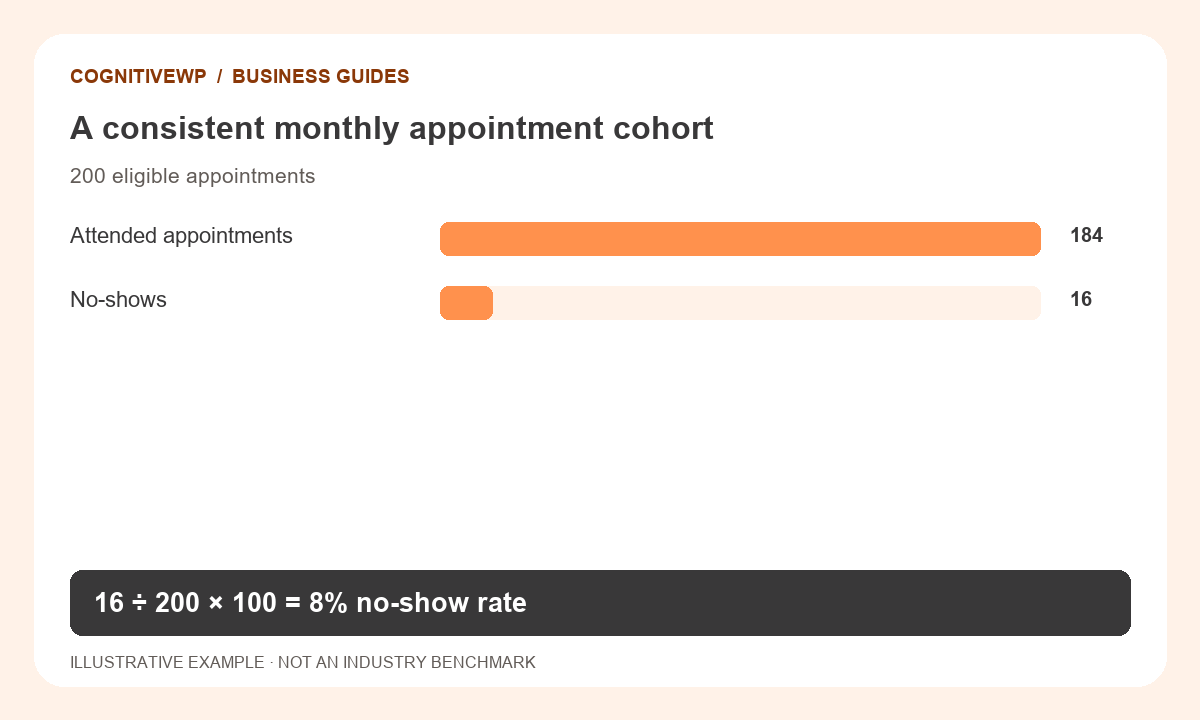
Worked example: 16 missed appointments
| Status | Count | Treatment |
|---|---|---|
| Originally scheduled | 220 | Starting booking count |
| Timely cancellations | 20 | Excluded under this example’s policy |
| Eligible appointments | 200 | Denominator |
| Attended | 184 | Completed attendance |
| No-shows | 16 | Numerator |
16 ÷ 200 × 100 = 8%.
Dividing by all 220 original bookings would give about 7.27%. That is a different metric because it uses a different denominator.
All figures in this worked example are illustrative, not recommended prices or industry benchmarks.
Try it with your own figures
Open the Appointment No-Show Rate Calculator. Check the field definitions and use figures that match the tool’s scope.
Combine rates using counts rather than simple averages
Imagine one week has ten eligible appointments and two no-shows, while another has 90 eligible appointments and nine no-shows. The weekly rates are 20% and 10%, but the combined rate is 11 ÷ 100 = 11%, not the simple average of 15%.
Always aggregate the underlying counts when periods or teams have different volumes.
Also consider whether appointment types differ. A group with longer lead times or different booking channels may not be directly comparable to another group, even when both use the same formula.
Estimate the operational effect carefully
Missed appointments can leave staff or rooms unused, but the appointment’s advertised price is not automatically lost profit.
Some slots are refilled, some costs are avoided, and some customers return later. A revenue-at-risk estimate should be clearly labeled and separate from an actual financial loss.
Use the appointment-slot capacity calculator to explore the planned schedule, then compare eligible booked slots with attendance. Avoid assuming that adding more appointments is the correct response to no-shows; capacity, customer experience, and service quality still constrain the schedule.
Test improvements without promising a guaranteed reduction
Review reminder timing, clarity of booking details, the ease of cancellation, and the delay between booking and attendance. Keep a record of each change and compare sufficiently similar periods.
A small sample or a seasonal shift can make a percentage move without proving the change caused it.
For a practical review, segment by appointment type or booking channel while preserving privacy.
Share aggregated results rather than personal customer histories. If an unexpected figure appears, inspect the status records and cohort rules before assuming the calculator is wrong.
What to do next
- Check duplicate and rescheduled records before interpreting a spike.
- Compare similar appointment types and booking channels.
- Evaluate reminders and booking changes without claiming every percentage movement is caused by them.
Frequently asked questions
Are cancellations always no-shows?
No. Keep timely cancellations, late cancellations, and no-shows distinct unless you intentionally define a broader missed-appointment metric. Explain the rule used.
What should I report when there are no appointments?
Report no eligible appointments, not a meaningful 0% performance rate. There is no attendance experience to measure when the denominator is zero.
Can no-shows exceed eligible appointments?
Not for the same correctly defined cohort. A result above 100% suggests mixed periods, duplicates, or inconsistent status counts.
Is an 8% rate good?
The 8% figure here is an example. Compare your own consistent history and appointment mix; this article does not establish an industry benchmark.
How often should I review the metric?
Use a period with enough appointments to be informative, and keep the underlying counts visible. Small weekly samples can produce large percentage swings.
Sources and further reading
The resources below support the definitions and context discussed above. The worked examples and illustrations are original CognitiveWP planning scenarios.
Related calculators and category
Find a tool for your next business decision
Compare your own costs and assumptions with free, easy-to-use business calculators.