 Find a calculator ↗
Warehouse Picking Productivity: Calculate Lines Picked per Hour
Warehouse picking productivity describes how much picking work is completed for each hour of labor. A useful measure starts with a precise unit: order lines, individual items, cases, and full orders describe different workloads.
Define what counts as a picked line
Before asking whether a pick rate is good, ask what was counted. Lines, units, cases, and complete orders are different measures of warehouse work.
An order line represents a product entry on an order, while a unit is an individual item.
One line can require one unit or many. Two orders with the same number of lines may take different amounts of time because of location, quantity, weight, or handling requirements.
A practical starting checklist
- Choose one output unit, such as completed order lines.
- Define when the work counts as complete.
- Choose direct picking hours or total paid hours.
- Divide completed output by the matching labor hours.
- Compare similar order profiles and review errors alongside speed.
Specify whether completed lines must pass a check or simply be recorded as picked. Decide how you handle re-picks and corrections.
Counting repeated work as new productive output can make a troubled process appear faster than it really is.
Keep the output unit and time basis consistent
| Decision | Possible choices | What to document |
|---|---|---|
| Output unit | Lines, units, cases, orders | A line may contain many units; do not switch units between reports. |
| Time basis | Direct picking hours or paid hours | State whether support tasks and other paid time are included. |
| Completion rule | Recorded pick or checked pick | Explain how errors and re-picks are counted. |
| Workload group | Each-picking, cases, bulky goods | Compare like work rather than one mixed warehouse average. |
A higher number is not automatically better. A team handling simpler orders can have a higher rate without using a better process.
Use totals when combining workers or shifts. Adding all completed lines and dividing by all included hours avoids the distortion of averaging rates from unequal shifts.
Worked example: 600 completed order lines
| Measure | Calculation | Result |
|---|---|---|
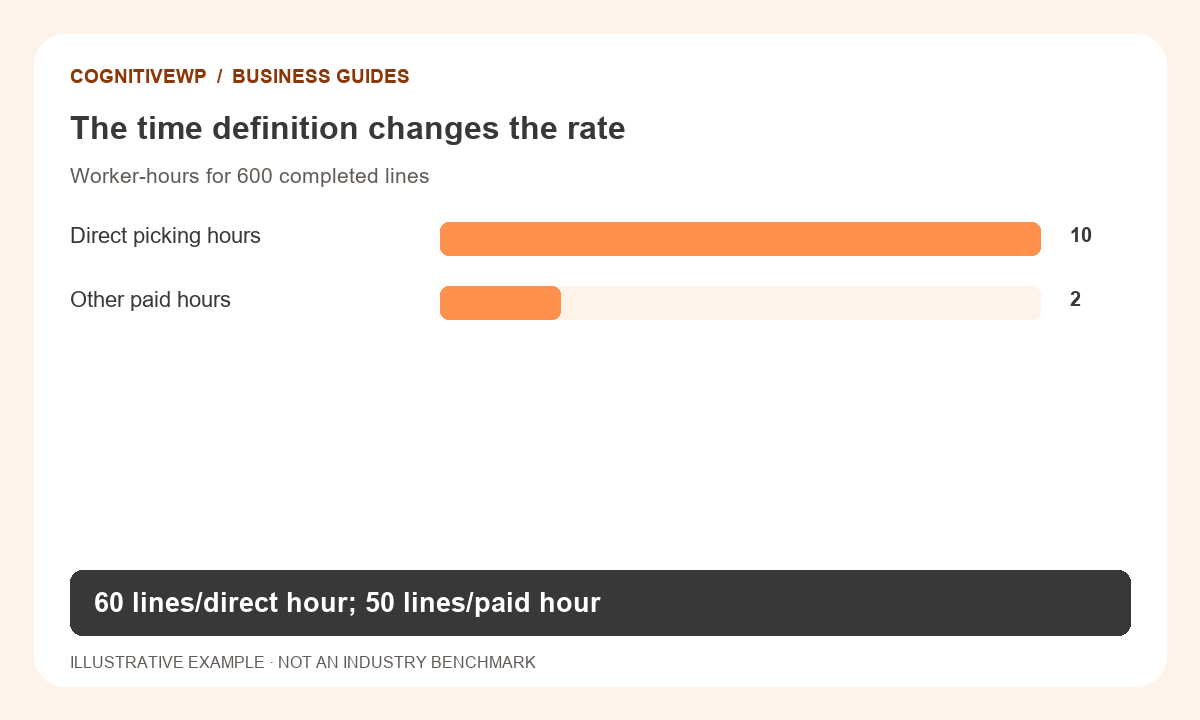
| Direct picking productivity | 600 lines ÷ 10 direct hours | 60 lines/hour |
| Paid-hour productivity | 600 lines ÷ 12 paid hours | 50 lines/hour |
| Paid labor cost | 12 hours × $24 | $288 |
| Cost per completed line | $288 ÷ 600 | $0.48 |
Both productivity rates can be useful. They answer different questions.
The direct rate describes the picking activity. The paid-hour rate captures the labor resources used to support it. Using only ten hours for the cost calculation would leave $48 of paid time out of this example.
All figures in this worked example are illustrative, not recommended prices or industry benchmarks.
Try it with your own figures
Open the Order Picking Labor Cost Calculator. Check the field definitions and use figures that match the tool’s scope.
Compare similar work before drawing conclusions
Segment results when order profiles differ.
Small-item each-picking, bulky goods, full cases, and pallets should not be treated as interchangeable work. Travel distance, pick density, storage layout, and equipment also affect the task.
Compare the same time periods and check for unusual replenishment delays or stock discrepancies. An average across different workflows can hide a genuine improvement in one area or falsely suggest a decline when the mix shifts toward more complicated orders.
Translate productivity into a labor plan
At an observed paid-hour rate of 50 lines per hour, 1,000 similar lines require 20 paid labor hours before any additional reserve you choose. Divide by the productive hours each scheduled worker can actually provide, then account for shift timing and task constraints.
Do not multiply a direct picking rate by all paid hours unless you separately account for the non-picking work.
Use the order-picking labor-cost calculator with matching units and assumptions. A rate derived from lines must be converted before it can be applied to a workload measured in orders or units.
Protect quality while improving throughput
Review mis-picks, damaged goods, incomplete orders, and rework alongside speed.
A faster raw pick rate is not a useful improvement if more orders need correction or customers receive the wrong products. The complete-order fill-rate calculator provides a related service measure, but it measures fulfillment completeness rather than individual picking accuracy.
Use observed process problems to choose changes: location labeling, replenishment timing, travel paths, or clearer work instructions. Test a change on comparable work and record both throughput and quality.
Avoid presenting a planning estimate as a guaranteed quota or using one simplified rate to judge unlike jobs.
What to do next
- Segment work when travel or order complexity differs.
- Look for replenishment and stock-record problems before blaming speed.
- Track picking errors and rework separately from complete-order fill rate.
Frequently asked questions
Are lines per hour and units per hour interchangeable?
No. A line may contain several units. Choose the unit that matches your workload and keep the same basis when comparing periods.
Should breaks be excluded?
That depends on the metric. For direct activity productivity, state what time is excluded. For staffing cost, use the paid hours your business actually incurs and avoid mixing the two views.
How do I combine rates from several workers?
Divide the total completed output by total included labor hours. A simple average of individual rates can mislead when people work different amounts of time.
What is a good picking rate?
It depends on the operation, order mix, layout, equipment, and time definition. Establish a comparable internal baseline before using external targets.
Does a complete order mean it was picked accurately?
Not necessarily. Fill rate measures whether required quantities were fulfilled under its definition. Track picking errors separately.
Sources and further reading
The resources below support the definitions and context discussed above. The worked examples and illustrations are original CognitiveWP planning scenarios.
Related calculators and category
Find a tool for your next business decision
Compare your own costs and assumptions with free, easy-to-use business calculators.